
Designing a website can be an exciting project. However, it’s easy to get caught up in making sure everything looks great without planning out the purpose of the site, what kind of content you’re going to put on it, and how it’s going to attract new customers.
Purpose and Actions
Below are some website design tips for small business owners that will ensure your site is polished and professional and accomplishes its purpose of attracting new customers.
Before you decide on a color scheme or font, you should determine what actions you want website visitors to take on each page. For example, you could encourage visitors to request an estimate, make an appointment, give you a call to see if you’re available, check out your services, send you a message, come by your store, etc.
You should feature a primary call to action (https://en.wikipedia.org/wiki/Call_to_action_(marketing) near the top of your homepage, then follow up with other calls to action as necessary. Make sure they’re logical and flow well. For example, it may be appropriate to remind visitors to call or email you near the bottom of your homepage.
Be specific with calls to action, especially on your homepage. For instance, a business offering a variety of products or services might be wise to avoid using a button that reads, Get Started. Visitors will most likely be interested in your prices or want to learn more about your services. It’s important to anticipate the reason for a visitor’s arrival and craft calls to action accordingly.
Simple Navigation
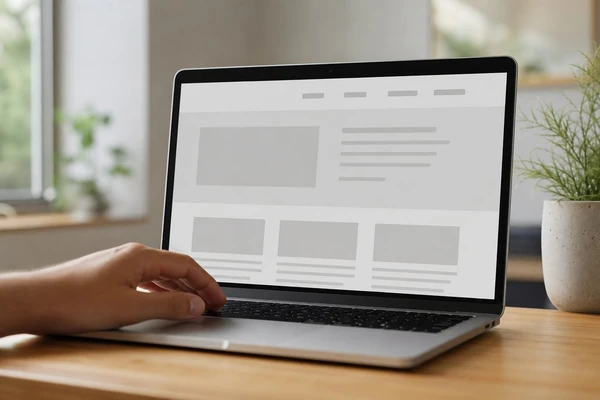
No matter what type of business you own, chances are, all you need is a menu with links to your Home, Services, About, Reviews/Work, and Contact pages. Keep it simple and avoid burying important information. For example, say you want potential customers to give you a call to discuss their project. Don’t make them search for your number.
Also, let them know what to expect from a free consultation when they call. If you charge hourly or offer packages, let people know your general rate or price range and what impacts the final estimate. Answering basic questions is especially important because your homepage is a decision-making tool for your visitors, not your business’ online brochure.
With that said, the opening section of your website should include a brief description of what you do along with a clear, concise headline and call to action, preferably one. This gives visitors the gist of your services and encourages them to learn more without having to scroll. If they’re interested, they’ll continue exploring. If not, it’s because your services don’t meet their needs.
In addition to a brief description of your services and an easy-to-find phone number, your homepage should answer questions like:
- What kinds of services/products do you offer? Are they relevant to the user’s needs?
- How does the process work? What happens after I give you a call/send you an email/fill out your form?
- What should I expect? Why should I choose your business? How are you different/better?
- What services/products do I need to qualify for a free estimate/discount/promotional offer?
- Where do I go to learn more? Can I view examples of your work? How much do your products/services cost?
- When/where are you located? Do you offer weekend/holiday appointments? Do you deliver? Do you service my neighborhood?
Conversion Content
It’s not just the look and feel of your website that earns trust – content plays a huge role in establishing your brand. At Studio 47 Web Design, they go beyond surface-level design by helping you craft messaging that resonates with your audience. Avoid vague, one-dimensional claims such as “our team delivers quality solutions to clients in the industry.” Instead, explain what makes your products/services special and who they’re appropriate for.
Give examples, provide details, and be specific. For instance, if you own a handyman business, explain the types of services you offer. If your goal is to attract homeowners, tell them the kinds of projects you take on, how long they usually take, and what makes them ideal for a handyman versus a licensed contractor.
Mobile Experience
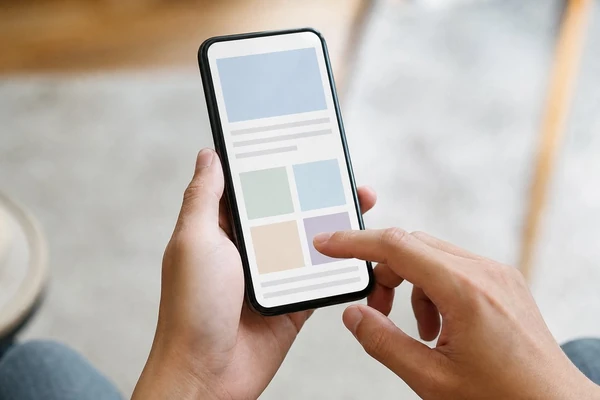
It goes without saying that your site has to look good on smartphones and tablets. Click this site to learn more. Pay close attention to buttons, navigation, phone number links, icons, and anything that requires interaction. Make sure they’re easy to see and at least 44px x 44px to reduce accidental taps. Also, make sure paragraphs are easy to read and calls to action have enough space around them. Headlines should be easy to scan and easy to skim.
Launch Checks
Don’t make the mistake of thinking your website is a one-time project. Test forms by submitting an inquiry and make sure someone is assigned to respond to new leads promptly. Have coworkers and friends go through your site and test forms on desktop and mobile. Update old offers, fix typos, remove broken links, check pages that generate a lot of traffic but few leads, check images, videos, animations, etc. for size/weight to avoid slowing down your site, check your phone number links, and monitor your DNS and email accounts, as some changes can take up to 48 hrs. to show up, etc.
Final Refinements
Video autoplaying? Remove it. Images taking forever to load? Compress them. Your site should be easy to navigate and shouldn’t overwhelm visitors. If you follow these website design tips for small business owners, your site will be informative, attractive, and a lead-generating machine.
Need help designing a website that converts? Let’s talk about it. Give us a call or fill out our handy little form below and we’ll get back to you shortly.